
NEP9 Login Guide: Account vs Mobile Sign-In, Troubleshooting, and What Happens After You're In
You've reached the NEP9 login screen. Two tabs — Account and Mobile — and that's about all the on-screen instruction you get. If you've come here because something isn't working, you're a first-time user wondering which tab to use, or you just want to know what bonuses unlock the moment you sign in, this guide has the answer.
This is the full player-perspective walkthrough of logging into nep9 casino: how to choose between username and mobile login, what to do when your password is rejected, how to recover an account safely, and which nep9 promo offers activate the moment your dashboard loads.
Two Login Methods — Account vs Mobile
NEP9 gives you two ways to sign in. Both lead to the same account; the difference is just which credential you use.
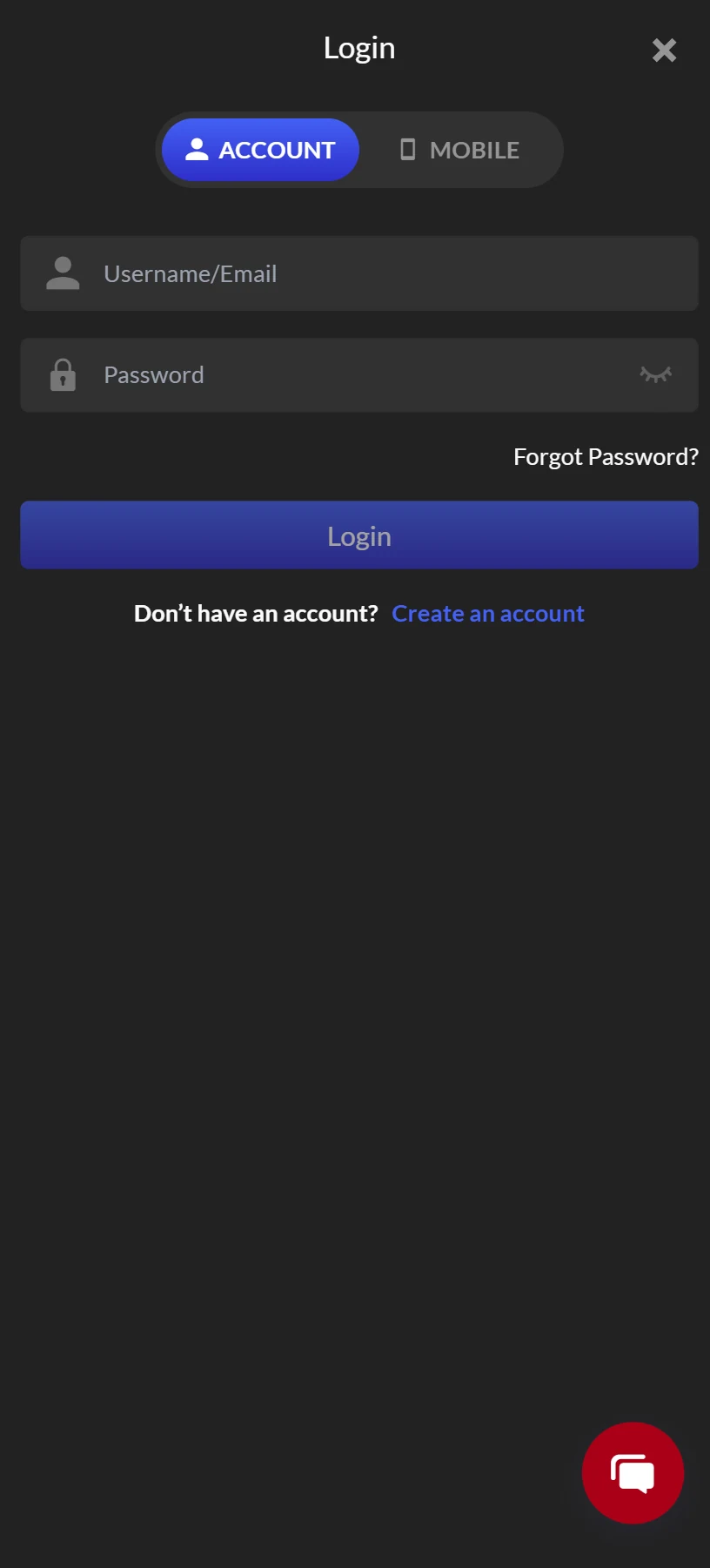
Account Login (Username / Email + Password)
The default login method and the one most players use. You'll need the username or email address you registered with, plus your account password. If you originally signed up using email at nep9 com or nep9 net, this is the tab for you. The Account tab is also the only way to log in if your phone number has changed since registration but your email is still active.
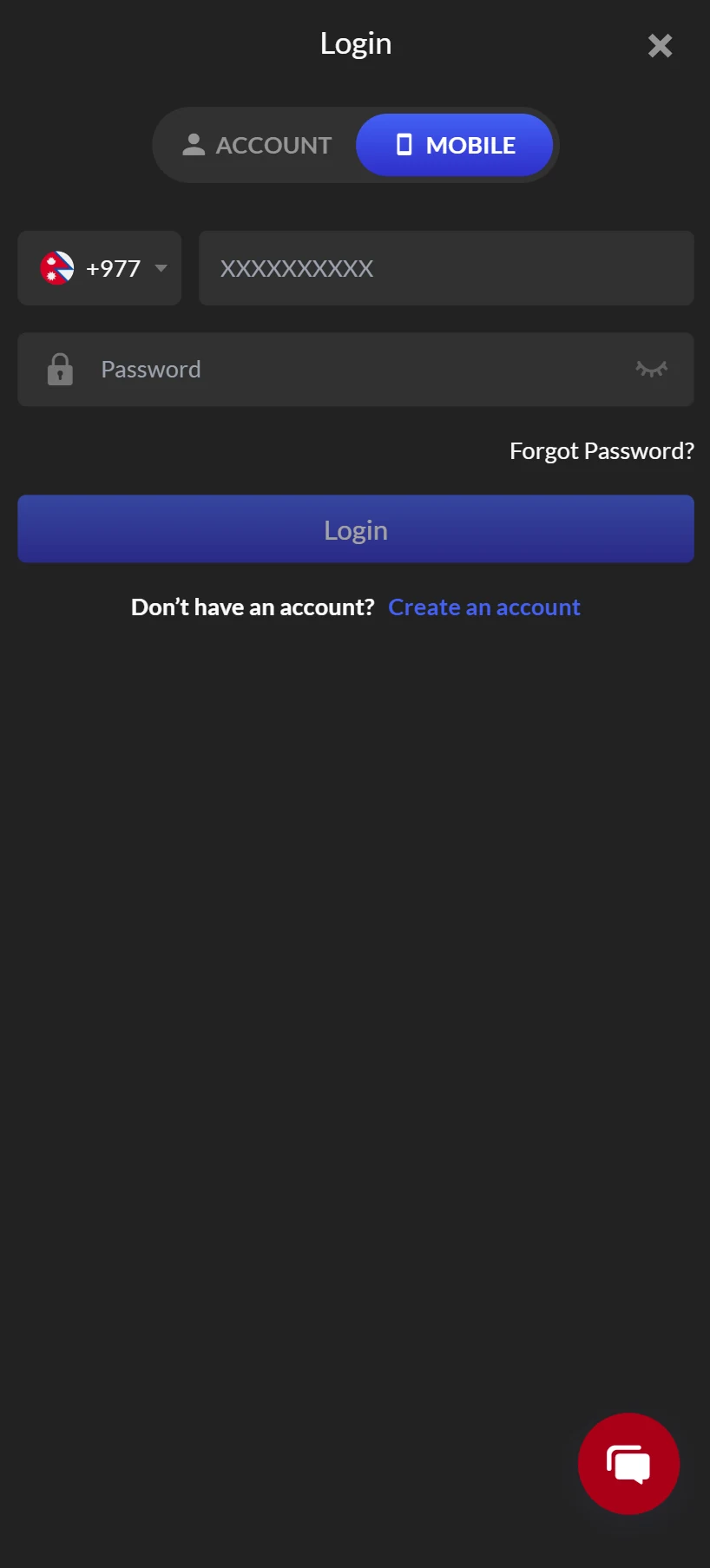
Mobile Login (Phone Number + Password)
The Mobile tab uses your registered phone number as the identifier instead of a username. The country code defaults to +977 (Nepal), with a dropdown if you registered from a different country. Convenient when you don't remember your username but do remember the phone number, or when typing digits on a small keyboard via the nep9 app.
Both methods are equally secure — they unlock the same account and the same balance. Pick whichever credential you remember more reliably.
Step-by-Step: How to Log In to NEP9
Six steps from open browser to active dashboard. If the login fails, don't repeat the same attempt three times in a row — most platforms (NEP9 included) trigger a temporary lockout after multiple failed attempts. Use the Forgot Password? link instead.
- Open NEP9. Open nep9 com in your browser, or launch the nep9 app if you've already completed the nep9 download (Android nep9 apk or iOS web-app shortcut).
- Tap LOGIN. The Login button sits at the top right of the homepage.
- Choose your tab. Account for username/email, or Mobile for phone number.
- Enter your credentials. The password field has an "eye" icon — tap it to toggle visibility if you want to confirm what you've typed before submitting.
- Tap the blue Login button.
- Land on your dashboard. Pending bonuses, ongoing nep9 promo events, and your wallet balance are all visible at a glance.
Forgot Password? Here's What to Do (and What Not to Do)
The Forgot Password? link sits below the password field. Tapping it triggers a recovery flow tied to whichever credential you registered with — usually email or SMS.
The correct recovery flow
- Tap Forgot Password? The link sits below the password input field.
- Enter the email or phone number associated with your account.
- Wait for the recovery code — SMS or email, typically within 60 seconds.
- Enter the code on the recovery page.
- Set a new password. Choose something you'll actually remember, but don't reuse a password from another site.
- Return to nep9 login and sign in with the new password.
What Not to Do
- Don't share your recovery code with anyone — including someone claiming to be nep9 official support. Real support staff will never ask for your recovery code, password, or one-time SMS.
- Don't use third-party "NEP9 password recovery" sites. Only use the recovery flow on the official nep9 com domain. Phishing sites mimicking the platform are common in unregulated markets.
- Don't try to create a new account just because you forgot your password. Multiple accounts violate the terms of service and can result in confiscation of balances and forfeiture of any nep9 free bonus funds across all accounts.
If recovery doesn't work — usually because the email or phone is no longer accessible — contact live chat through nep9 official support channels. You'll be asked to verify identity through KYC documents before any account access is restored.
Common Login Problems and How to Fix Them
Six errors cover almost every login issue Nepali players hit. If you're stuck, scan for the symptom first — the fix is usually a 30-second adjustment.
"Username or password is incorrect"
- Double-check that Caps Lock is off — passwords are case-sensitive.
- Make sure you're on the right tab. A username typed into the Mobile tab won't authenticate, and vice versa.
- If credentials are right, your password may have been changed by a session you don't remember (e.g., on another device). Use Forgot Password?
"Account locked / temporarily suspended"
This usually means too many failed login attempts within a short window. Wait 15–30 minutes and try again, or use password recovery. If the lock persists beyond an hour, contact nep9 official support.
"Mobile number not recognized"
- Confirm the country code (default +977 for Nepal). If you registered from a different country, change it.
- Confirm you're entering the number without the leading zero. NEP9 stores numbers in international format — "98XXXXXXXX" works, but "098XXXXXXXX" usually doesn't.
"Verification code not received"
- Check your spam / promotions folder if it's an email code.
- For SMS codes, ensure your number has signal. Carriers occasionally throttle automated SMS during peak hours.
- If 5+ minutes pass, request a resend. If multiple resends fail, switch recovery methods (e.g., from SMS to email).
"Login keeps redirecting to homepage"
Usually a cookie or cache issue. Clear your browser's cookies for nep9 com, or try a private/incognito window. Alternatively, switch to the nep9 app — native apps don't have browser cache problems.
"Site won't load at all"
- Some networks (corporate Wi-Fi, school networks, certain ISPs) block gambling-adjacent domains. Switch to mobile data instead of Wi-Fi.
- Use the nep9 app instead of browser access.
- Visit via a backup mirror (nep9 net or any official nep9 link). Always verify backup links via nep9 official social channels first — phishing mirrors are the #1 vector for stolen casino accounts.
What Unlocks the Moment You Log In
Logging in isn't just an authentication step — it's also the trigger for several time-sensitive bonuses and rewards. Five things activate the second your dashboard loads.
Daily Sign-In Streak
The 30 Days Sign-In Challenge rewards you for logging in every day for 30 consecutive days. Milestone payouts on Day 7, 14, 21, 28 — total challenge value reaches NPR 72,000. Miss a day, the streak may reset. Set the nep9 link as a home-screen shortcut.
Daily Random Deposit Bonus
Once logged in, your first qualifying deposit of the day triggers a random bonus draw — values from NPR 1,000 to NPR 9,999. Even on days you don't deposit, logging in keeps your sign-in streak alive. See full breakdown →
Cashback Calculation Window
NEP9's cashback (5% slots, 5% crash, 3% sports, 2% live casino) calculates net loss over a defined window. Logging in regularly lets you check your accrued nep9 cashback in real time and plan deposits accordingly.
Active Promotions Panel
The Promotions tab on your dashboard shows every offer currently available — including any one-click nep9 claim opportunities, applicable nep9 code entries, and limited-time nep9 100 free spin campaigns when active.
Tournament Leaderboard Position
If a Weekly Slot Tournament is running, your current rank, score, and time-remaining countdown show up in the dashboard. Most tournaments require an opt-in click — no login means no opt-in means no leaderboard scoring. Tournament details →
⚠ What Counts As "Logged In"
A common misconception: simply opening the app counts as your daily sign-in. It usually doesn't. To register a valid sign-in for streak purposes, most platforms require:
- A successful nep9 login with credentials (not just opening a cached session).
- Sometimes a small qualifying activity — a minimum deposit, a single bet, or opening a specific game.
If your streak is resetting unexpectedly, the cause is almost always that the daily activity requirement isn't being met — not a system bug. Read the fine print on the 30 Days Challenge.
Don't Have an Account Yet? How to Register
The Create an account link below the Login button takes you to the nep9 sign up form. Five-minute process, then you're collecting bonuses.
You'll be asked for
- A username (or this can be auto-generated)
- A phone number (Nepal default +977; this is what you'll use for Mobile login later)
- A password (use something strong; don't reuse passwords from other sites)
- An optional referral code if a friend or nep9 affiliate sent you a nep9 link
After registering
- Verify your phone or email through the code sent during sign-up. Without verification, certain features (including withdrawals) stay locked.
- Complete KYC verification to unlock the Rs. 699 verification bonus and ensure smooth future withdrawals. KYC bonus details →
- Make your first deposit to claim the nep9 register bonus — either the 299% Welcome Bonus (multi-product) or the 100% Spribe Aviator Welcome (Aviator-focused).
- Bookmark the site or install the app — Android users grab the nep9 apk for direct download; iOS users save the web version to home screen.
Security Best Practices for Your NEP9 Account
Your NEP9 account holds real funds, KYC documents, and potentially high-value bonus balances. Treat it with the same security standards as your bank app.
Strong Password Rules
- 12+ characters minimum.
- Mix of uppercase, lowercase, numbers and at least one symbol.
- Never reuse a password from email, banking or social media.
- Don't write it down where others can find it; use a password manager if possible.
Login Hygiene
- Always log in via the nep9 official domain or the nep9 app. Bookmark the site so you don't have to type the URL — typo-squatting attacks happen there.
- Avoid logging in on public Wi-Fi without protection. Use mobile data or a reputable VPN.
- Log out manually on shared devices. Don't rely on session expiry.
- Enable 2FA if NEP9 offers it for your region — check Account Settings after login.
Phishing Defense
- NEP9 staff will never ask for your password, recovery code, or full card number via SMS, email or chat.
- Be skeptical of "you've won a bonus, click here to claim" messages from WhatsApp / Telegram / SMS. Real nep9 promo notifications are visible inside your account dashboard.
- "Nep9 100 free" and similar headline offers are real when they appear in the platform's Promotions tab. They are not real when they arrive as a link in an unsolicited message.
Frequently Asked Questions About NEP9 Login
Honest answers to the most common questions from real Nepali players about NEP9 sign-in, dual-method login, session behaviour and account dormancy.
Can I log in with both a username and a phone number on the same account?
Yes, if you registered both during sign-up. You can switch between the Account and Mobile tabs freely on every login — the system recognizes both as valid identifiers for the same account.
Does logging in cost anything or trigger any deductions?
No. Login is free and triggers no charges. Bonuses unlock on login, but no funds are deducted from your wallet just by signing in.
Why does it ask for my country code on the Mobile login?
Because NEP9 supports players from multiple countries and phone numbers must be stored in international format to be unique. The +977 default reflects Nepal as the primary market.
Can I stay logged in permanently?
Modern browsers and the nep9 app keep your session active for a window (typically 7–30 days) before requiring re-authentication. For security, NEP9 may force re-login after a password change, suspicious-activity flag, or extended inactivity.
I'm logged in on my phone but want to also log in on my laptop. Will that log me out of the phone?
Generally no — NEP9 supports concurrent sessions across devices. However, certain actions (password change, withdrawal authorization) may force a single-device session. If unexpected logouts happen on one device, check your account activity log; it may indicate suspicious access.
Where do I see my deposit bonuses, cashback, and rebate after login?
The Promotions tab and Wallet tab on your post-login dashboard. The Wallet shows balances; the Promotions tab shows currently active offers, claimable bonuses and pending wagering requirements. View all bonuses →
I'm an affiliate / agent. Where do I log in to my partner dashboard?
The nep9 affiliate and nep9 agent portals use a separate login on the same domain — usually accessible via a "Partners" or "Affiliate" link in the site footer. Your partner credentials are different from your player credentials; don't try to log in to one with the other.
Does logging in qualify as the daily activity for the 30 Days Sign-In Challenge?
Often yes, but some platform versions also require a minimum daily action (a small wager, a single game open, etc.). If your streak is resetting unexpectedly, the activity requirement is the most likely cause. Check the challenge terms in the Promotions tab.
Is my login information shared between nep9 com, nep9 net, and the nep9 app?
Yes — these are different access points to the same account system. Your username, password, balance, KYC status, and bonus history follow you across all of them. There's no need to "create" separate accounts on different mirrors.
What if I haven't logged in for months? Is my account still active?
Most operators retain dormant accounts for at least 6–12 months. Long-inactive accounts may incur small dormancy fees per the terms of service, and any unclaimed nep9 free bonus balances may expire. Log in periodically — even briefly — to keep your nep9 vip status, accumulated nep9 cashback rights, and dormant balance intact.
I keep getting "session expired" mid-session.
Usually a network issue or cookie problem. Switch from Wi-Fi to mobile data, or move from browser to nep9 app. If it persists, clear your browser's cookies and cache for the nep9 com domain.
Login Is the Gateway, Not the Destination
A working nep9 login is the gate that unlocks every bonus, every game, every nep9 bet opportunity, and every nep9 win session NEP9 offers. The login screen is simple by design — but the habits around it are what separate a smooth player experience from a frustrating one.
Three takeaways to keep your account healthy:
1. Log in daily — even a 30-second visit keeps your sign-in streak active and your dashboard up to date with current nep9 promo offers.
2. Use the official domain or app only — bookmark nep9 com or install the nep9 apk so you never accidentally land on a phishing mirror.
3. Treat your password like a bank password — strong, unique, never shared, never reused.
If you're new and haven't yet completed nep9 sign up, head to the registration page next, complete KYC for the 699 NPR verification bonus, and choose your welcome bonus carefully — the 299% main offer for flexibility, or the 100% Spribe Aviator offer if you're crash-game focused.
Then come back to this login screen every day, and let the rewards stack. Already a member? Tap LOGIN, choose your tab, and pick up where you left off.
Sign In or Create Your Account
Whether you're logging back in or registering for the first time, your verified entry to NEP9 is one click away.